Controls
Mouse, keyboard and gamepad controls, turn time, what happens when a connection drops, and settings.
During a match
| Action | Mouse | Keyboard | Gamepad |
|---|---|---|---|
| Hit | Hit button | H | X |
| Stand | Stand button | S | RB |
| Open or close your + card hand | + Cards button | Tab | Y |
| Choose and use a + card | Select a card, then Use | Arrow keys → Enter / Space | D-pad → A |
| Look at + cards in play | Point at a card | F | LB |
| Open or close How to play | How to play button, top right | G | — |
| Pause | Pause button, top right | Esc | Menu |
| End without waiting (while waiting for your opponent) | End Without Waiting, top right | E | View |
Hit
- Mouse
- Hit button
- Keyboard
- H
- Gamepad
- X
Stand
- Mouse
- Stand button
- Keyboard
- S
- Gamepad
- RB
Open or close your + card hand
- Mouse
- + Cards button
- Keyboard
- Tab
- Gamepad
- Y
Choose and use a + card
- Mouse
- Select a card, then Use
- Keyboard
- Arrow keys → Enter / Space
- Gamepad
- D-pad → A
Look at + cards in play
- Mouse
- Point at a card
- Keyboard
- F
- Gamepad
- LB
Open or close How to play
- Mouse
- How to play button, top right
- Keyboard
- G
- Gamepad
- —
Pause
- Mouse
- Pause button, top right
- Keyboard
- Esc
- Gamepad
- Menu
End without waiting (while waiting for your opponent)
- Mouse
- End Without Waiting, top right
- Keyboard
- E
- Gamepad
- View
- Each press of F on the keyboard or LB on a gamepad points to the next + card in play.
- Esc on the keyboard and B on a gamepad mean Back. They close your + card hand or How to play if it is open, and open the pause menu when nothing is open. In the pause menu, they take you back to the match.
- While you play with a gamepad, the buttons you can use right now are shown at the bottom of the screen.
- Pausing does not stop the match or your turn time.
Turn time
When you play against another player, each turn has 1 minute. If time runs out, you stand automatically.
- The clock goes back to 1 minute when the turn comes to you. Using a + card does not reset it.
- At the start of a round, the clock starts while the cards are being dealt.
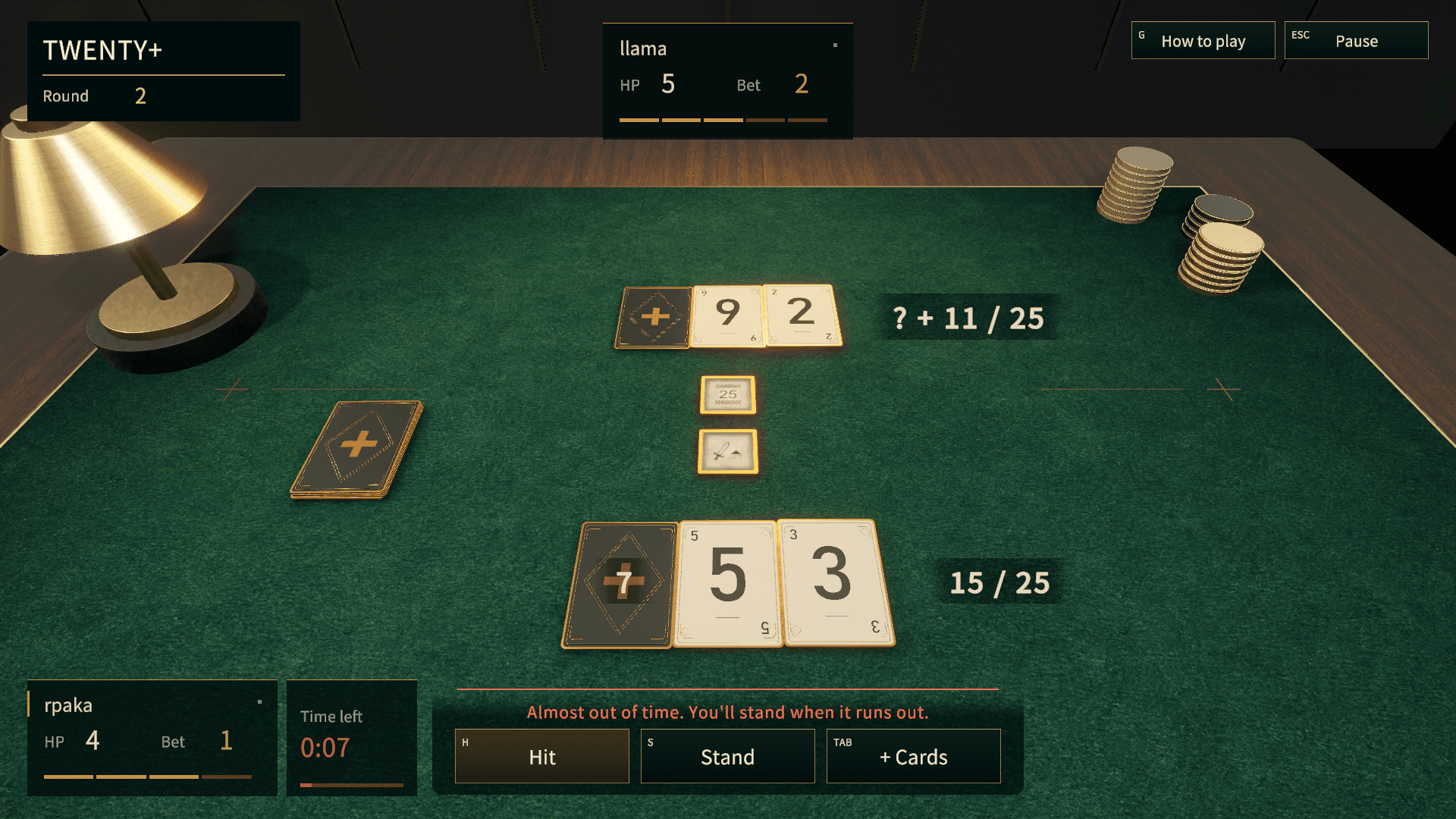
- The time left is shown as Time left next to the seat of the player whose turn it is. On your turn, it turns red when 15 seconds are left, and “Almost out of time. You'll stand when it runs out.” appears above the buttons.
- There is no turn time when you play against the computer (including the Gauntlet). If you leave your turn untouched for too long, though, you lose (If nobody does anything for a while).
- Turn time stops while you are waiting for your opponent to reconnect, and carries on from where it stopped when the match resumes.
Menus and screens
| Action | Mouse | Keyboard | Gamepad |
|---|---|---|---|
| Select and confirm | Click | Arrow keys → Enter | D-pad → A |
| Go back | Back button | — | B |
| Scroll | Mouse wheel | — | Right stick |
| Switch between fullscreen and window | — | F11 / Alt + Enter | — |
Select and confirm
- Mouse
- Click
- Keyboard
- Arrow keys → Enter
- Gamepad
- D-pad → A
Go back
- Mouse
- Back button
- Keyboard
- —
- Gamepad
- B
Scroll
- Mouse
- Mouse wheel
- Keyboard
- —
- Gamepad
- Right stick
Switch between fullscreen and window
- Mouse
- —
- Keyboard
- F11 / Alt + Enter
- Gamepad
- —
You can also switch the window mode in Settings.
The How to play panel
To read this guide during a match, open it with the How to play button at the top right (G on the keyboard), or from the pause menu (on a gamepad, use the pause menu). The panel opens on the right side of the screen, so you can keep an eye on the table while you read.
- Scroll: mouse wheel, PageUp and PageDown on the keyboard, or the right stick.
- Close: the Close button, the How to play button at the top right, Esc on the keyboard (or G during a match), or B on a gamepad.
- Open in browser: opens the page you are reading in your usual web browser. Pages outside this guide cannot be opened inside the panel, so use this for them.
Leaving a match and losing connection
Forfeiting
To leave a match, choose Forfeit from the pause menu. After you confirm, the match ends as a loss. In the Gauntlet your run ends there, and in a series of matches it counts as a loss. You can also forfeit while you are waiting for your opponent to reconnect.
If your opponent's connection drops
The match pauses, and Disconnected appears next to your opponent's seat with the time they have left to come back. While it is paused, neither of you can hit, stand or use + cards (you can still look at your + card hand and the + cards in play). If they come back, the match carries on from where it stopped.
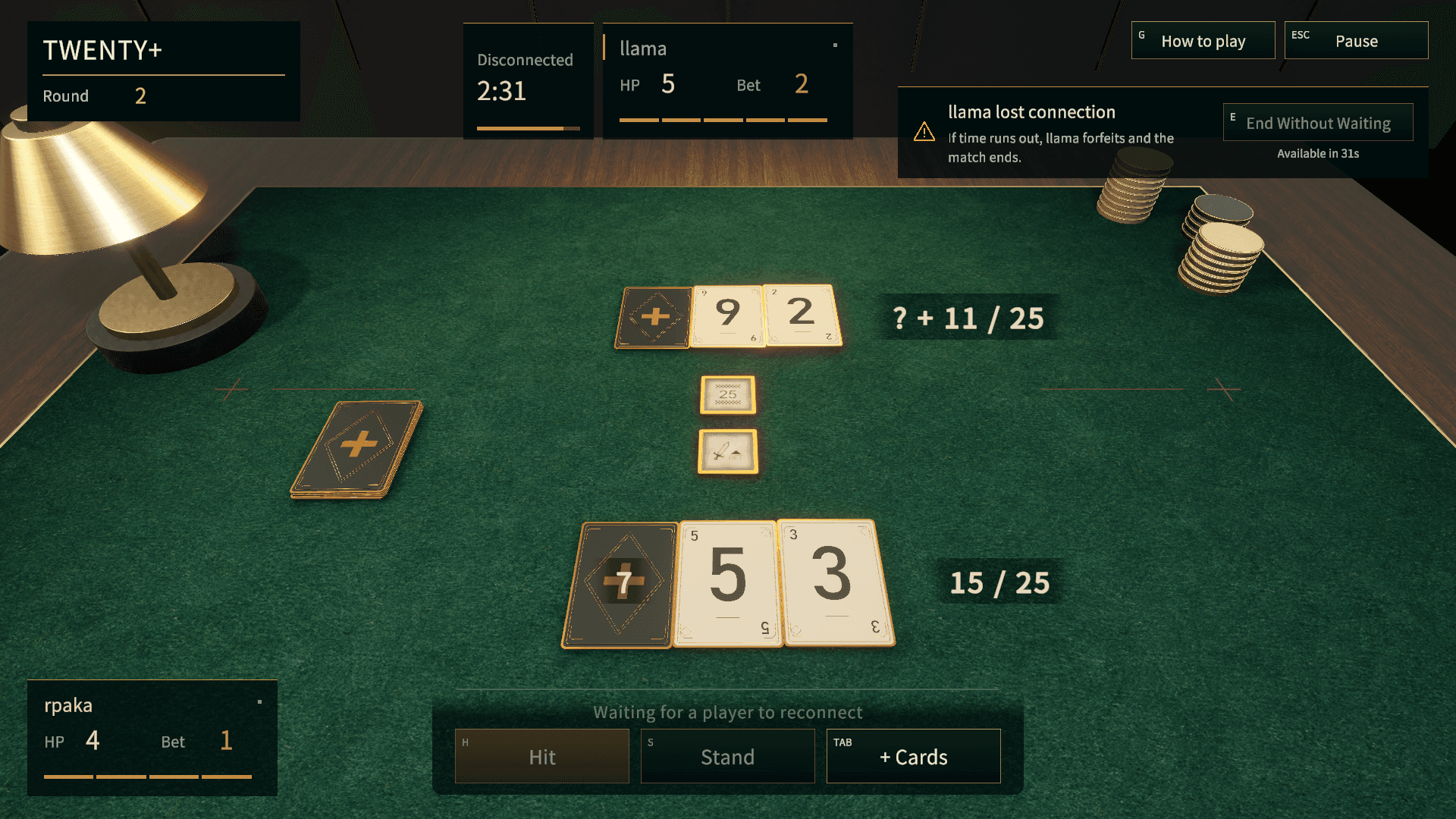
- The wait is 3 minutes in total per match. The time each player is disconnected adds up, and it doesn't come back when they reconnect. When it runs out, the match ends as your opponent's forfeit.
- A match can pause up to 3 times for each player. If a player's connection drops a fourth time, there is no wait and it counts as their forfeit.
- To stop waiting, choose End Without Waiting at the top right. After you confirm, the match ends in a draw. It becomes available 60 seconds after the pause starts; until then, the seconds left are shown under the button.
- If your opponent's connection drops after the match has already been decided, the game doesn't pause and goes straight to the result.
If your connection drops
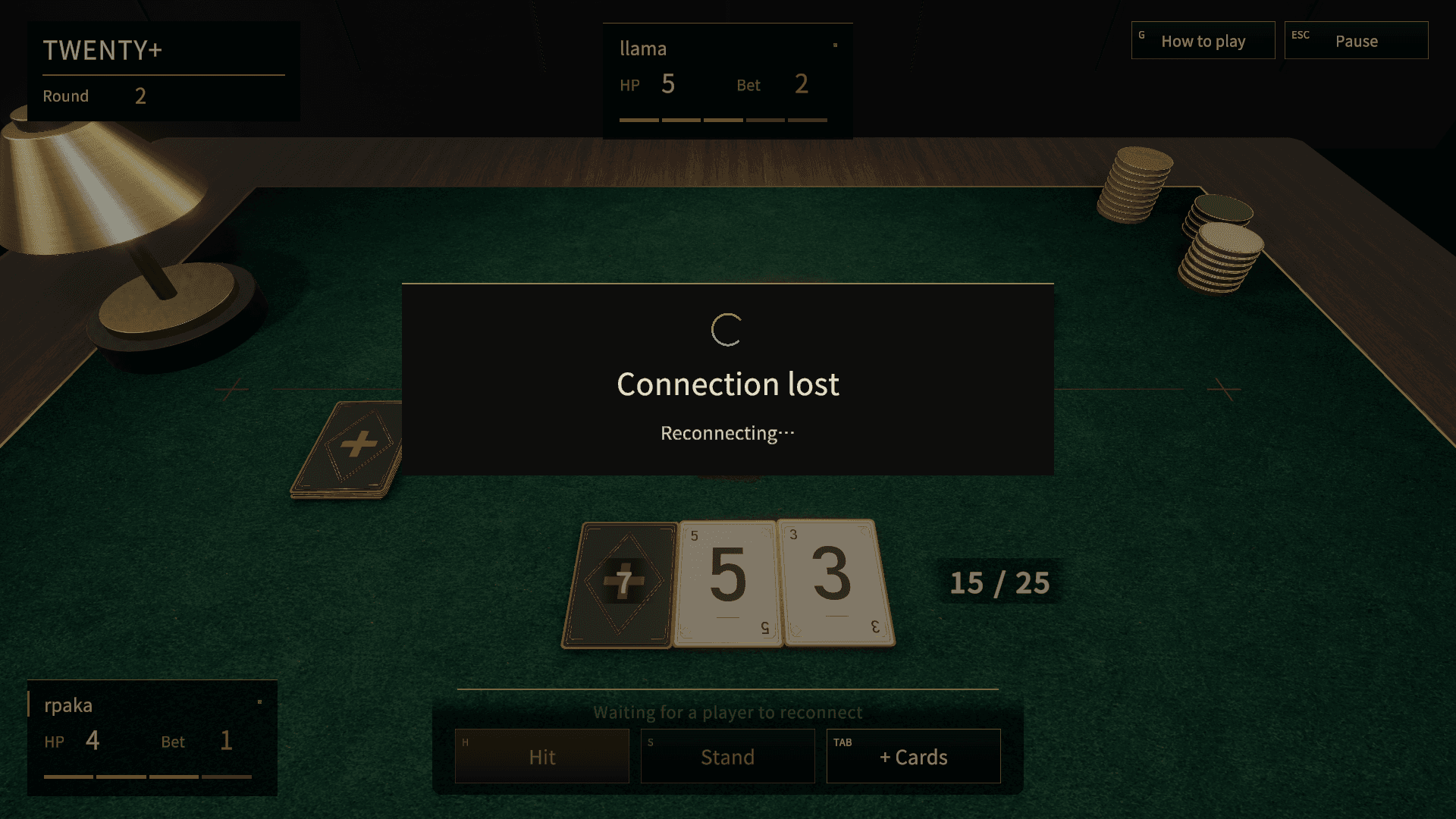
The game tries to reconnect on its own. While it does, “Connection lost” and “Reconnecting…” are shown in the middle of the screen.
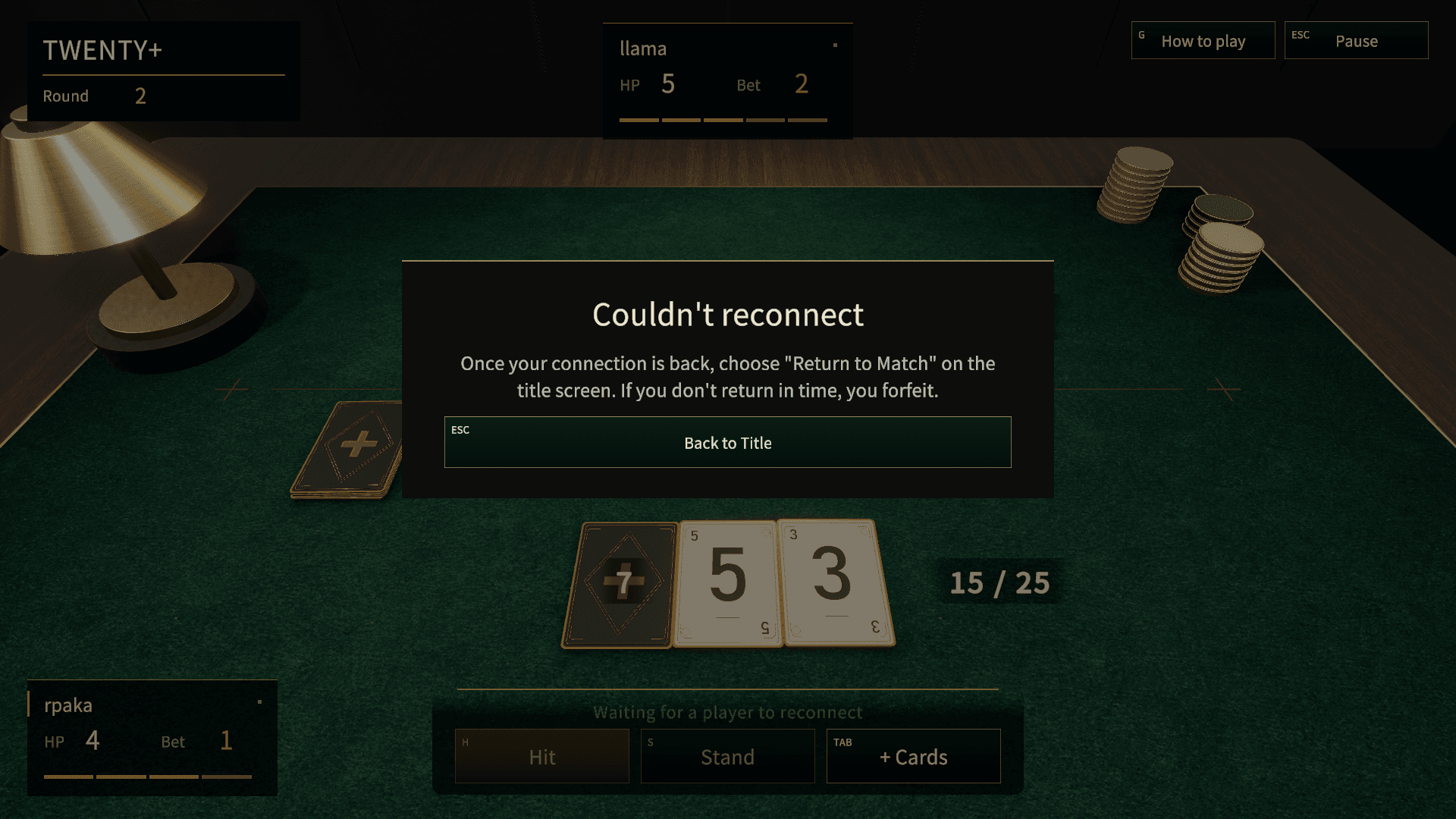
If it can't get back, “Couldn't reconnect” is shown. Choose Back to Title, and once your connection is back, choose Return to Match on the title screen.
Your time keeps running down while you are disconnected. As with your opponent, if you are disconnected for more than 3 minutes in total in a match, or your connection drops a fourth time, it counts as your forfeit. The same applies against the computer (including the Gauntlet): you lose, and a Gauntlet run ends there.
If the game closes during a match
Even if you closed the window yourself, when you start the game again, “You have a match in progress” appears and you choose Return to Match or Forfeit. If you forfeit, that match counts as a loss.
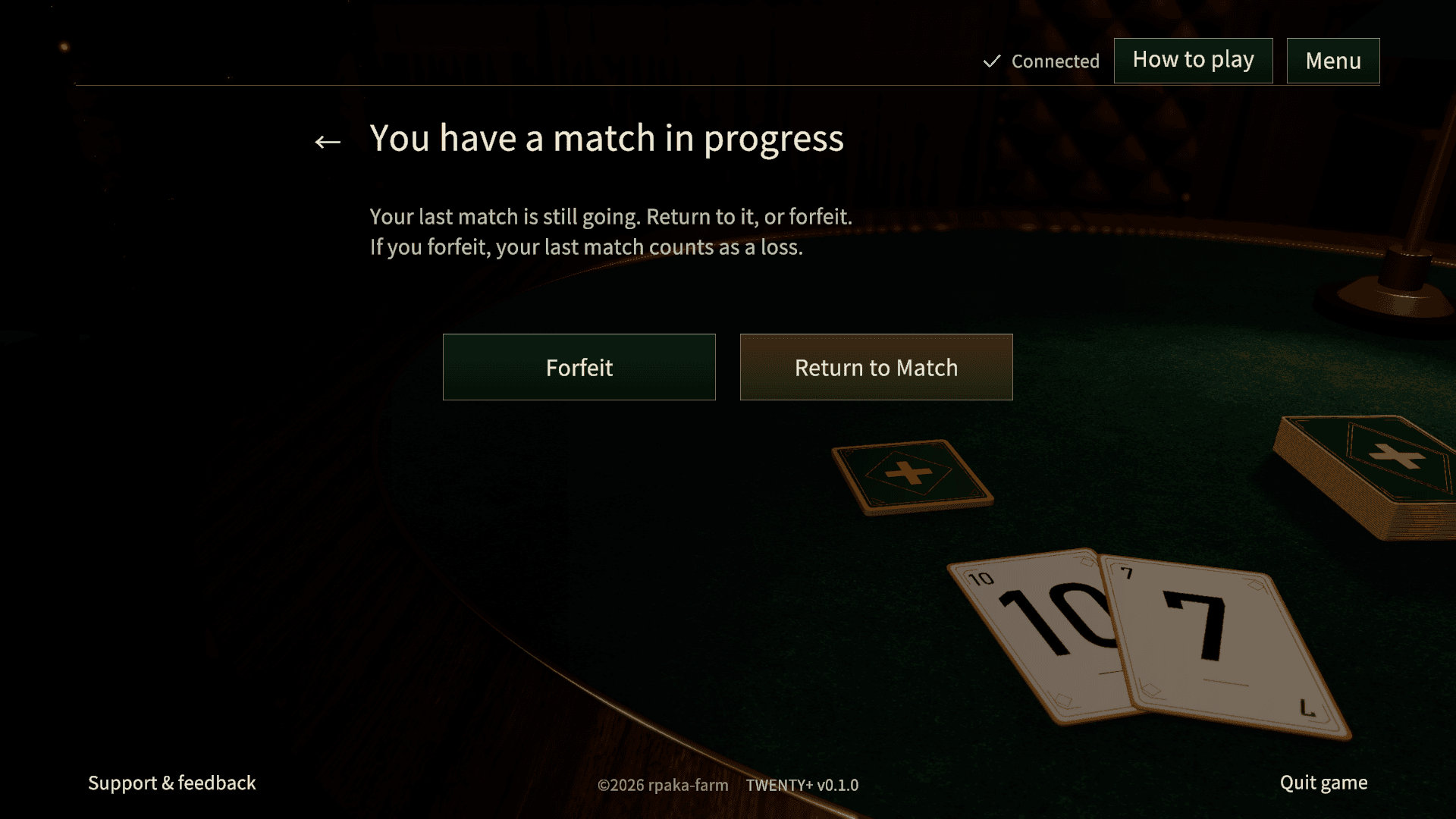
If you don't choose there, you can return or forfeit later from the banner at the bottom of the title screen.
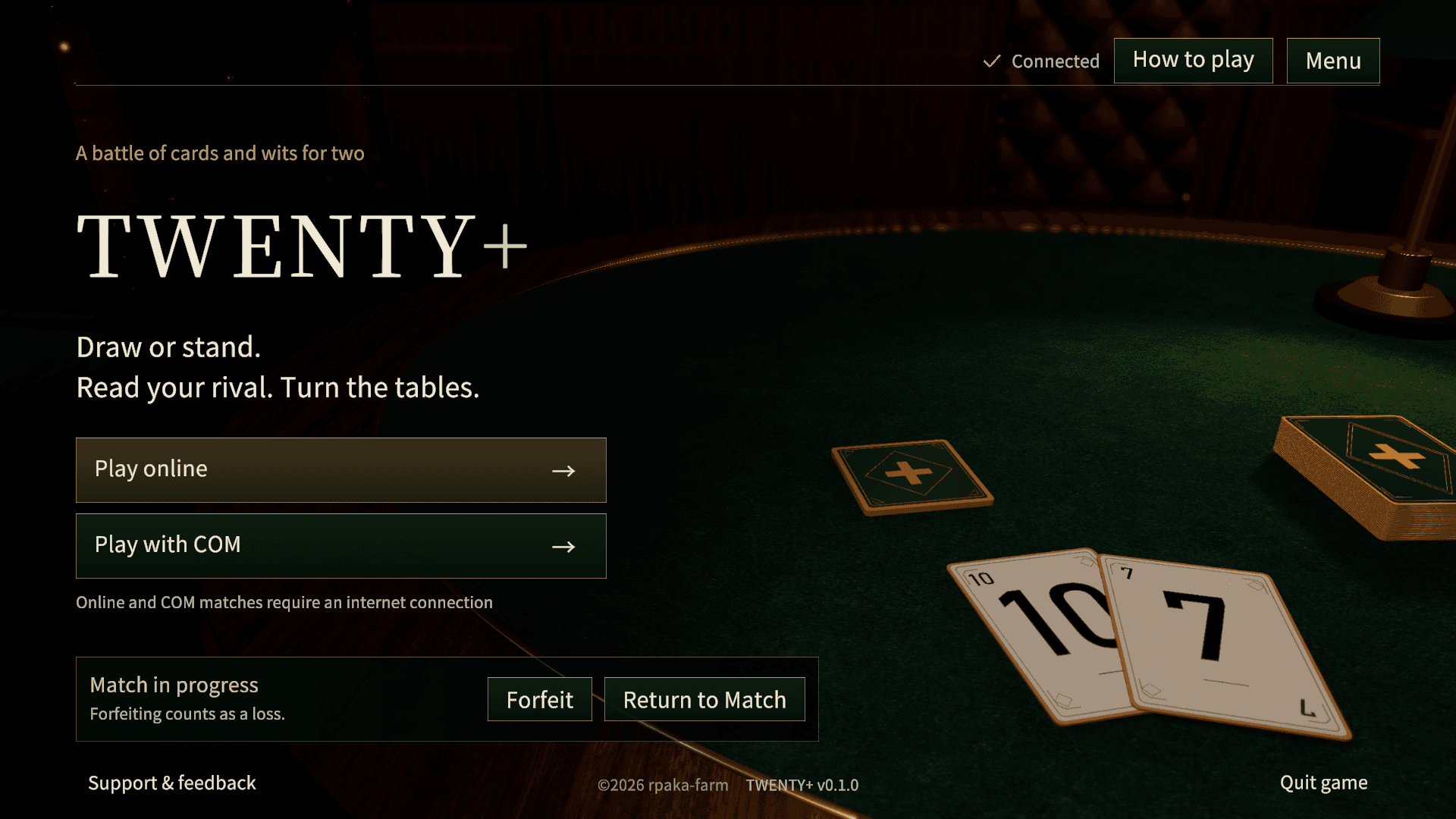
If you try to start a new match while one is still in progress, you choose Return to That Match or Forfeit and Start. If you didn't come back in time, or the match has already ended, “You can no longer return to your last match” is shown.
If both players lose their connection
If both players are disconnected and neither comes back before both run out of time, the match ends in a draw.
If nobody does anything for a while
Outside a match against another player, a room closes if nobody does anything for a while.
- Against the computer (including the Gauntlet): if you leave your turn untouched for 5 minutes, it counts as a forfeit and you lose.
- The result screen: after 5 minutes without any action, the room closes, and you can no longer use Play Again with the same opponent.
- The waiting room: after 10 minutes without anyone doing anything, the room closes.
After a room closes, start again from the title screen. In a match against another player, turn time keeps things moving, so none of this applies.
Settings and language
Open Settings from Menu on the title screen, or from the pause menu during a match.
- Player name: letters and numbers only. It is saved when you leave Settings with Back.
- Music and Sound effects: change the volume of each. Slide all the way to the left to turn it off.
- Switch window mode: switches between fullscreen and window.
To change the language, choose 日本語に切り替え (Switch to Japanese) under Menu on the title screen.